Field Team Leaderboards: How to Measure and Improve Sales Performance
Sales team leaderboard software gives managers a live, ranked view of how each field rep is performing, based on visits, orders and collections. Without it, rankings usually come from spreadsheets and end-of-day WhatsApp updates. Those arrive late, they are easy to inflate, and nobody fully trusts them.
This guide explains what a field sales leaderboard is, which metrics belong on it, how to set one up so it motivates instead of demoralizes, and what to look for in sales team leaderboard software.
What Is a Sales Team Leaderboard?
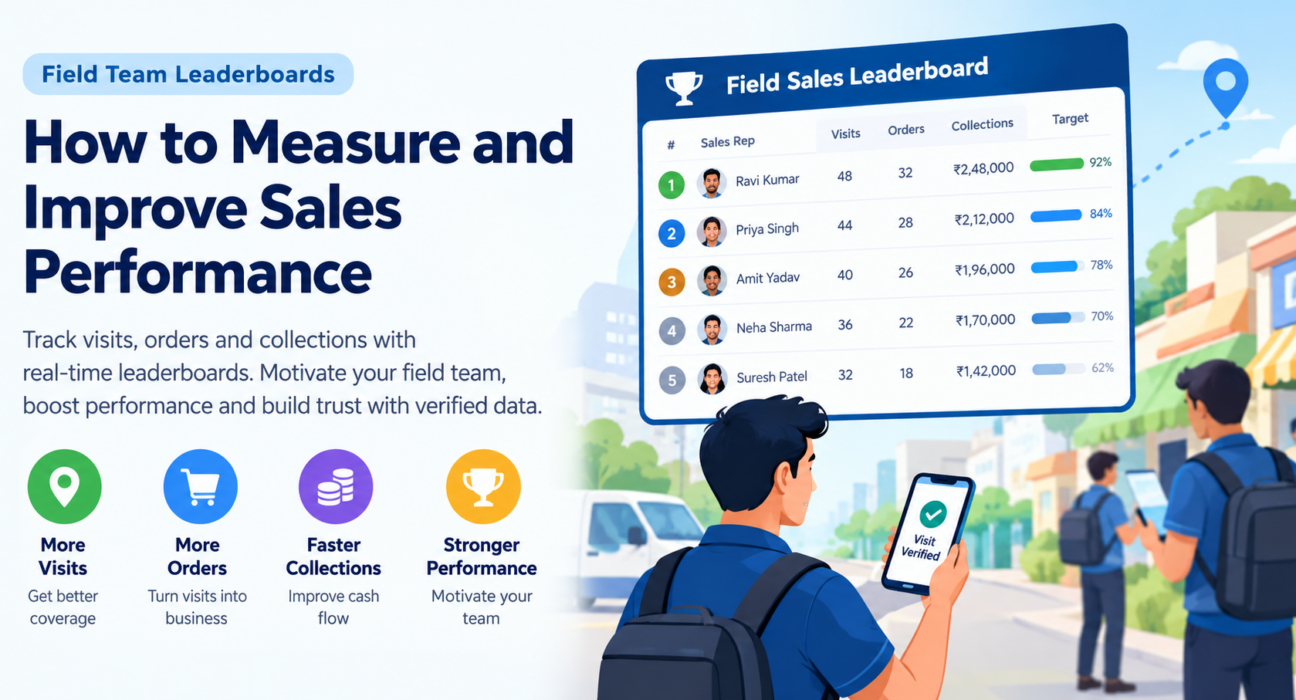
A sales team leaderboard is a ranked view of sales reps against agreed metrics, such as visits completed, orders booked, revenue or collections, over a set period.
For field teams, the ranking has to reflect work done outside the office. That means the data should come from verified visits, not self-reported numbers.
A good leaderboard does three things:
- Makes performance visible to reps, managers and owners.
- Shows how each rep is tracking against a target.
- Gives managers a factual starting point for coaching.
Why Field Sales Teams Need a Leaderboard
Field managers rarely watch their reps work. They see outcomes such as orders and receipts, but not the activity behind them.
Without a shared scoreboard, three problems show up:
- Unclear expectations. Reps don’t know what “good” looks like, so effort drifts toward whatever is easiest.
- Reactive management. Problems surface at month-end, when it is too late to fix the month.
- Perceived unfairness. When rankings rest on unverified data, top performers stop believing in them.
Sales team leaderboard software turns these gaps into numbers everyone can see. Sales teams have used ranking boards for decades, and Salesforce’s guide to sales leaderboards notes that they work partly because they combine internal motivation, such as pride in progress, with external recognition.
Which Metrics Should Sales Team Leaderboard Software Track?
Track a small set of metrics that cover activity, quality and results. Ranking on revenue alone hides how it was earned. Ranking on activity alone rewards busywork.
| Metric type | Example metrics | What it tells you |
|---|---|---|
| Activity | Visits completed, beat plan coverage | Is the rep doing the planned work? |
| Quality | Visit-to-order conversion, checklist completion, customer feedback | Is the work effective? |
| Results | Orders booked, sales value, collections received | What did the effort produce? |
| Discipline | On-time attendance, expense accuracy, task closure within SLA | Does the rep follow process? |
Activity metrics
Visits completed against plan is the usual starting point. It matters most where coverage drives sales, such as FMCG distribution, pharma and retail merchandising.
A visit should only count if it is verified. Photo, signature or OTP proof and geofenced check-ins keep the count honest.
Quality metrics
Conversion shows whether visits turn into business. A rep with many visits and few orders may need coaching on pitch or outlet selection, not more visits.
Results metrics
Sales value and collections reflect real business impact. Give collections their own line if your team handles payments, because a booked order that is never paid isn’t a result.
Discipline metrics
Attendance and process compliance rarely make the headline ranking, but they make forecasting and operations far easier.
How to Set Up a Sales Team Leaderboard That Works
To set up an effective field sales leaderboard, define the goal, choose a few metrics, set fair targets, use verified data and review results on a fixed schedule.
- Start with one business goal. Do you want more coverage, better conversion, or faster collections? The goal decides which metrics lead.
- Pick three to five metrics. Reps should be able to explain how they are ranked in one sentence.
- Set targets by role and territory. A rep on a dense urban beat and one on a rural route face different conditions. Rank against targets, not raw totals alone.
- Use verified, real-time data. If reps can edit their own numbers, the board loses credibility quickly.
- Choose a review cadence. Daily views help course correction. Weekly and monthly views suit coaching and recognition.
- Share the rules openly. Everyone should know what is measured, how it is weighted and when it resets.
Reward the behaviors that create results, not only the big numbers. Spiff’s sales leaderboard guide makes the same point: if you only reward final outcomes, you don’t nurture the habits that produce them.
Making Leaderboards Motivating, Not Toxic
Leaderboards can backfire. If the same three reps always sit on top, everyone else may disengage. Some safeguards:
- Rank against targets, not just peers. “82% of target” tells a mid-table rep more than “seventh place.”
- Use multiple boards. Separate views for activity, conversion and collections give more reps a chance to lead somewhere.
- Show improvement. Recognize the rep who moved up the most, not only the one on top.
- Pair rankings with coaching. The board should start conversations, not replace them.
- Reset on a regular cycle. A monthly reset keeps the ranking competitive.
Treat the leaderboard as a signal of where to look. It does not explain why a number is what it is.
Common Mistakes to Avoid
- Ranking on revenue only. This rewards large accounts and territory luck over skill.
- Tracking too many metrics. Reps can’t optimize for ten things at once.
- Relying on manual reporting. Self-reported numbers invite disputes.
- Ignoring territory differences. Unequal beats make raw rankings unfair.
- Never acting on the data. A leaderboard nobody discusses becomes wallpaper.
What to Look for in Sales Team Leaderboard Software
Good sales team leaderboard software builds rankings from verified field activity, updates in real time and lets you configure metrics and targets to fit your business.
Use this checklist:
- Verified data capture. Geofenced attendance, GPS-stamped check-ins and proof of visit.
- Configurable KPIs and targets. Define metrics per role or team, not a fixed template.
- Real-time dashboards. Managers should see current standings without waiting for a report.
- Custom forms and workflows. Your checklists and approvals should feed the ranking.
- Field-friendly mobile app. It must work with poor connectivity, or data gaps will skew the ranking.
- Drill-down reports. You should be able to move from a rank to the visits behind it.
- Role-based access. Reps, managers and owners need different views.
A standalone tool that isn’t connected to attendance, visits and tasks has to rely on manual input, which defeats the purpose. If you are comparing options, see how FieldExecutives compares with typical field apps.
How Field Force Management Software Powers Your Sales Team Leaderboard
The strongest leaderboards sit on top of field force management software, because that is where verified activity data already lives. Each punch-in, visit, task closure and collection becomes a data point the ranking can draw on, with no extra reporting from reps.
This changes what managers can do. Instead of asking why a rep’s numbers are low, a manager can open the visit trail and see whether the problem is coverage, conversion or follow-through.
How FieldExecutives Supports Your Sales Team Leaderboard
Businesses looking to simplify these processes can use field force management software such as FieldExecutives, which brings field activity and performance data into one platform.
Based on what FieldExecutives publishes, these capabilities are relevant to a leaderboard:
- KPIs, leaderboards and reports. The web console gives managers and directors these views.
- KPI targets. The admin portal lets business owners set targets and organization settings.
- Geofenced attendance. Server-time punch-ins with mock-location detection support trustworthy data.
- Proof of visit. Photo, signature and OTP capture, plus guided checklists.
- Live map and GPS trail. Managers see rep movement and status in real time.
- AI route and beat plan optimization. Designed to reduce travel time so reps spend more time with customers.
- Expenses and collections tracking. Receipt-backed expense workflows and collection-to-settlement tracking.
- Custom forms and workflows. Job types, checklists, approvals and SLAs are configurable without code.
- Offline-first mobile app. Reps capture visits without a network, and data syncs when they reconnect.
FieldExecutives serves industries such as FMCG and distribution, pharma, retail, banking and collections, and field service. Figures on the site are illustrative, so validate results against your own operations during a trial or demo.
Example: A Weekly Field Sales Leaderboard
Here is an illustrative setup for a distribution company with 25 reps. It is an example, not a customer story.
Goal: improve outlet coverage and conversion.
| Metric | Weight | Source |
|---|---|---|
| Planned visits completed | 30% | Verified check-ins |
| Visit-to-order conversion | 30% | Visit outcomes and orders |
| Sales value vs target | 30% | Orders booked |
| On-time attendance | 10% | Geofenced punch-ins |
Managers review the board every Monday, hold a short coaching conversation with the bottom quartile, and recognize the top and most-improved reps. After a month, they revisit the weights.
Conclusion
A leaderboard works when it is fair, transparent and built on data reps trust. Choose a few metrics that cover activity, quality and results, set targets that match each territory, and use the rankings to start coaching conversations.
The right sales team leaderboard software makes this practical by pulling rankings from verified attendance, visits, tasks and collections instead of manual reports. If your team works in the field, FieldExecutives can bring that activity into one platform with KPIs, leaderboards and reports for your managers.