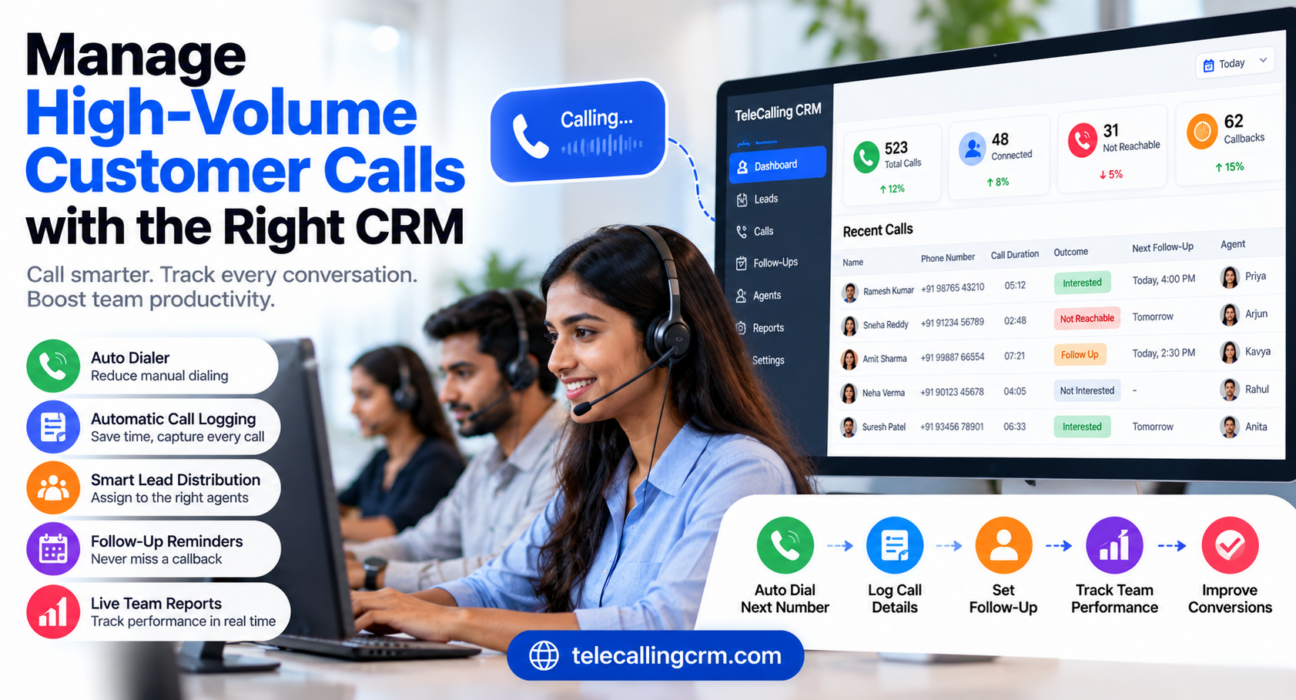
How to Choose the Best CRM for Managing High-Volume Customer Calls
When a team makes or takes hundreds of calls a day, the problems are small and constant. Agents lose time dialling by hand, outcomes are not logged, callbacks are forgotten and managers cannot see who is busy and who is idle. The right call management software with an auto dialer and call tracking removes much of this friction, but only if it matches how your team actually works.
This guide explains how to choose high volume call management software. It covers the first decision to make, the features that matter, how to test tools and the mistakes to avoid.
What Is High Volume Call Management Software?
High volume call management software helps a team handle a large number of calls in an organised way. It usually combines calling tools, such as dialers or call routing, with a CRM that logs every call, schedules follow-ups, distributes leads and reports on agent activity.
In practice, it answers four questions: who should call whom, what happened on the call, what happens next and how the team is performing.
Decide First: Inbound, Outbound or Both?
“High-volume calls” can mean two very different things. This is the most important decision, because the tools are different.
| Inbound-heavy teams | Outbound-heavy teams | |
|---|---|---|
| Typical users | Customer support, helplines, order desks | Telecalling, sales, admissions, collections |
| Main challenge | Answering and routing incoming calls fast | Making many calls and following up on time |
| Key tools | IVR, call queues, call routing | Auto dialer, lead lists, follow-up reminders |
| CRM role | Show customer history to the agent on the call | Assign leads, log outcomes, schedule callbacks |
Many teams do both. If inbound queues and IVR are central to your operation, look at contact centre platforms. If most of your volume is outbound calls to leads and customers, a telecalling CRM with a dialer is usually the closer fit.
Signs You Have Outgrown Spreadsheets
Consider dedicated software if you notice any of these:
- Agents spend more time dialling and typing than talking
- Two agents call the same lead, or a lead is called by nobody
- Callbacks are tracked in notebooks or WhatsApp messages
- Managers learn about low performance only at month end
- New agents cannot see earlier calls and notes
- Leads arrive from several sources and are copied by hand
Features to Look For
Use this checklist when comparing tools.
- A dialer that reduces manual work. Auto dialers and power dialers remove the delay of dialling each number by hand, which matters when call volume is high. Auto-dialers dial contacts one after another and eliminate manual dialing delays. kixie
- Automatic call logging. The system should capture call duration, outcome, time and notes without extra effort. Manual documentation does not scale. CRM-integrated systems automatically capture call duration, outcome, timestamps, recordings and notes. trellus
- One-tap outcome tagging. Agents should be able to mark “interested”, “not reachable” or “callback” in seconds.
- Lead distribution rules. Leads should be assigned automatically, ideally only to agents who are available.
- Follow-up scheduling and reminders. Look for callbacks, overdue alerts and a clear list of calls due today.
- Live team visibility. Managers should see who is on a call, who is idle and how many calls each agent has made.
- Reports that show quality, not just quantity. Connection rate, answer rate and talk time say more than the number of dials.
- Call recording and review. Recordings help with training and disputes. Check how they are stored and who can access them.
- Compliance controls. Indian teams should check for DNC list handling and calling-hour limits.
- Mobile access. Useful for remote or field teams that call from phones.
- Lead source integrations and de-duplication. Leads from ads, portals and websites should land in one place without duplicates.
- Clear, predictable pricing. Per-user, per-feature and per-minute charges can add up quickly at scale.
How to Evaluate and Choose: Step by Step
- Measure your current volume. Note calls per agent per day, number of agents, lead sources and peak hours.
- Mark inbound, outbound and mixed needs. This narrows the field before you look at features.
- List must-haves and nice-to-haves. For most outbound teams, must-haves are a dialer, call logging, lead assignment and follow-ups.
- Shortlist two or three tools. More than that makes comparison harder.
- Test with real leads. Import a sample list and run actual calls during the trial. Demo data hides real problems.
- Include agents in the trial. If agents find the tool slow or confusing, adoption will suffer.
- Check reports and manager views. Ask yourself whether you could run your daily review from them.
- Run a small pilot. Start with one team for a few weeks before moving everyone.
Questions to Ask Every Vendor
- Does it support inbound calls, outbound calls or both?
- How does the dialer work, and what does it need (phones, SIMs, a calling provider)?
- How are calls and numbers billed, and are there extra charges?
- What happens to leads that no rule can assign?
- Can I see agent activity in real time?
- Are call recordings encrypted, and who can listen to them?
- How does it handle DNC lists and calling hours?
- Can I export my data if I leave?
- What does support look like, and in which languages?
Realistic Scenarios
These are hypothetical examples to show how needs differ.
Real estate sales team: Eight agents call leads from property portals and Facebook ads every day. They need a dialer, lead assignment by project and a fast way to schedule site-visit callbacks.
Education admissions desk: Counsellors call hundreds of enquiries during admission season. They need follow-up reminders, call history on each student record and the ability to call in the student’s language.
Small support helpline: A team takes incoming calls about orders. They need call routing, queues and customer history on screen. A dialer-focused CRM would not be enough here.
Common Mistakes to Avoid
- Choosing by feature count. A long list matters less than whether the daily workflow is fast.
- Mixing up inbound and outbound needs. Buying an outbound dialer for an inbound helpline wastes money.
- Ignoring agent experience. Tools that need many taps per call lose time at scale.
- Skipping the trial with real data. Many problems only appear with real lead lists and real agents.
- Overlooking total cost. Add user fees, telephony charges, add-ons and setup.
- Forgetting compliance. DNC and calling-hour rules should be built into the process.
- Not defining targets. Decide in advance which numbers you want to improve, such as connection rate or follow-up completion.
How TeleCallingCRM Can Help
TeleCallingCRM is a telecalling CRM built for outbound and inside sales teams in India. Based on the features listed on its website, it includes:
- A smart auto dialer that dials assigned leads in priority order, with pause and resume. It captures call duration from the phone’s call log and lets agents log outcomes in one tap.
- Compliance controls: DNC numbers are skipped and a calling-hours window is enforced.
- Lead distribution: rules for round-robin, language-match and fixed-agent assignment, applied only to agents who are punched in.
- Lead import and capture: CSV or Excel import with de-duplication, plus 12+ lead-source integrations.
- Follow-ups and reminders, with overdue alerts.
- A live war room showing real-time agent states, talk time and idle time, and a report builder with connection and answer rates.
- Call recording and AI call analysis, including transcripts, summaries and sentiment. AI analysis is opt-in, so check availability for your account.
- A mobile app for Android and iOS.
Limitations to know: TeleCallingCRM is positioned as an outbound telecalling CRM. Its website does not list IVR, inbound call queues or predictive dialling. Its dialer is described as SIM-based, so ask the team how calling, numbers and costs work for your setup before deciding. If inbound queue management is your main need, a contact centre platform may suit you better.
Related reading on the blog includes the guide to the best telecalling CRM tool for call centres and BPOs, the post on how to choose the best telecalling CRM and a look at the live war room and reports. You can also visit the Call Center CRM page for industry details.
Frequently Asked Questions
What is high volume call management software?
It is software that helps teams handle many calls in an organised way. It typically combines calling tools such as dialers or routing with CRM features such as call logging, lead assignment, follow-up reminders and team reports.
What is the best CRM for managing high-volume customer calls?
It depends on your call type. Outbound teams need a CRM with an auto dialer, lead assignment and follow-up tracking. Inbound teams need call queues, routing and IVR. Choose by workflow, test with real calls and compare total cost.
What is the difference between a telecalling CRM and a call centre platform?
A telecalling CRM focuses on outbound sales calls: lead lists, dialing, outcomes and follow-ups. A call centre platform often adds inbound features such as IVR, queues and routing. Some products cover both, so check what each tool supports.
Which features matter most for outbound calling teams?
An auto dialer, automatic call logging, lead distribution, follow-up reminders, real-time monitoring and clear reports matter most. DNC handling and call recording are also important for compliance and training.
How many agents do I need before buying call management software?
There is no fixed number. Consider it once spreadsheets cause missed follow-ups, duplicate calls or poor visibility. Even a team of five can benefit if leads and callbacks are getting lost.
How do I measure whether the software is working?
Track calls per agent, connection rate, follow-up completion, overdue follow-ups and conversions. Compare these before and after the change. Treat the results as indicators, since lead quality and seasonality also affect numbers.
Does an auto dialer improve productivity?
It can reduce time lost in manual dialling and logging, which lets agents spend more time talking. Results depend on lead quality, script and training. A dialer helps the process but does not replace good calling practice.
Should I choose per-user pricing or flat pricing?
Compare the total yearly cost for your team size, including add-ons and telephony charges. Per-user pricing can be fine for small teams, while flat plans may help when the team grows. Always confirm what is included.
Conclusion
The best CRM for high-volume customer calls is the one that fits your call type and your team’s daily routine. Start by deciding whether your volume is inbound, outbound or mixed. Then shortlist tools, test them with real leads and check the total cost.
If your team makes high volumes of outbound calls, you can try a call management CRM with the 3-day free trial and see how it handles your own leads. Whichever tool you choose, run a small pilot first and review your numbers after a few weeks.