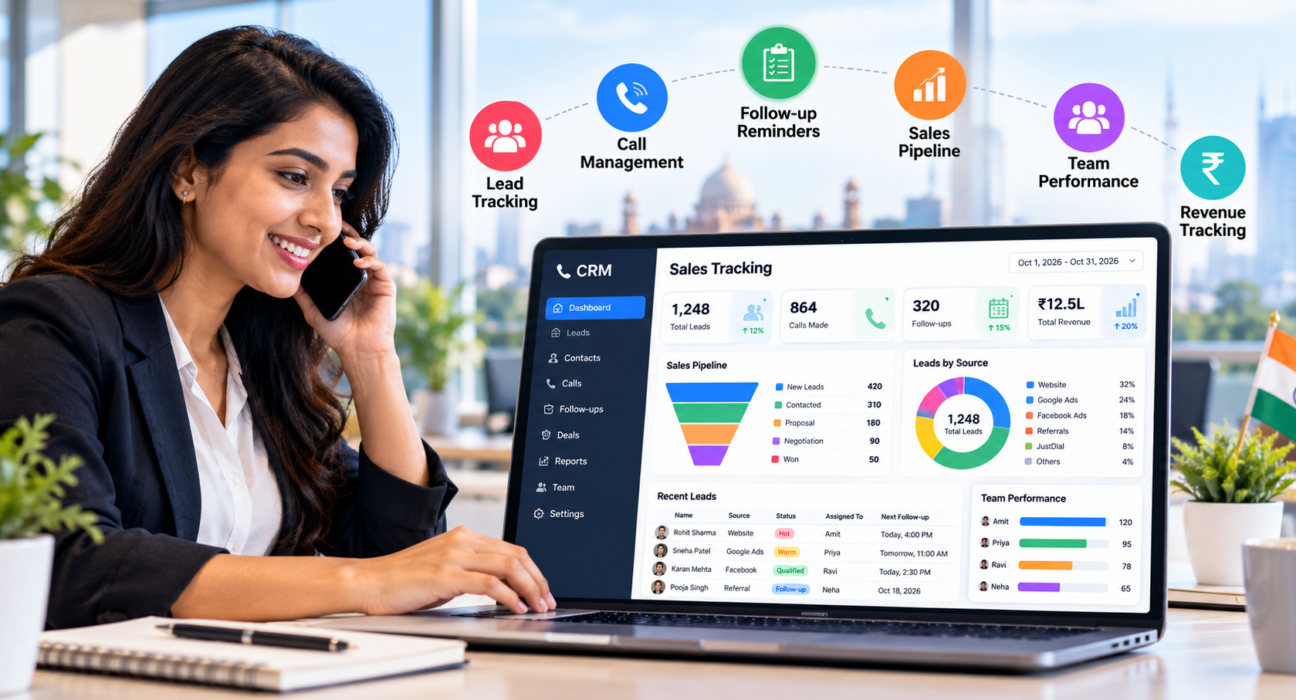
Best Sales Tracking Software for Small Businesses in India
If you run a small business, you probably track sales in a mix of Excel sheets, WhatsApp chats and memory. It works until the team grows. Then a promised callback gets missed, two agents call the same customer, and at month-end nobody can say which leads actually turned into revenue.
Good sales tracking software that also manages calls and follow-ups gives you one place to see leads, activities and results. This guide explains what to track, which features matter for Indian small businesses, how the main tool types compare, and how to choose without overspending.
What Is Sales Tracking Software?
Sales tracking software records and reports on the activities and results of your sales process, from first lead to closed deal. It shows who contacted which customer, what happened, where each deal stands and how much revenue each agent or lead source produces. Many small businesses use a CRM for this purpose.
In practice, a good tool lets you answer three questions at any time:
- How many leads do we have, and where are they in the process?
- What is each salesperson doing today?
- Which sources and activities actually produce sales?
What Is the Best Sales Tracking Software for Small Businesses in India?
There is no single best tool for every business. The best sales tracking software for a small Indian business is the one that fits how you sell, is simple enough for your team to update daily, and has pricing you can sustain as the team grows.
If your team sells mainly by phone, look for call tracking and follow-up management built in. If you sell through field visits or online demos, pipeline and activity tracking may matter more.
What Should You Track?
Start with a few numbers that you will actually review. Too many metrics make reports hard to use.
| What to track | Why it matters | Example |
|---|---|---|
| Leads by source | Shows where good leads come from | Facebook ads vs property portals vs referrals |
| Calls or activities per agent | Shows effort and consistency | Calls made, talk time, follow-ups completed |
| Connection rate | Shows how many calls reach a person | Answered calls out of total dials |
| Pipeline by stage | Shows where deals get stuck | New, Contacted, Proposal, Won |
| Conversion rate | Shows how well leads turn into sales | Won deals out of total leads |
| Overdue follow-ups | Shows leads at risk of going cold | Callbacks not completed on time |
| Revenue by agent and source | Shows what is actually working | Won deal value per agent |
Key Features to Look For
1. Centralised lead tracking
Every lead should have one record with contact details, source, assigned agent, call history, notes and current stage. Look for easy bulk import from Excel or CSV and duplicate detection.
2. Follow-up reminders
Most small businesses lose sales through missed follow-ups, not poor pitches. Choose software that lets agents schedule a callback in one tap and alerts them (and managers) when it is overdue.
3. Pipeline tracking
A visual pipeline with stages you can customise shows how many deals are at each step. Deal values and expected close dates make it possible to estimate revenue.
4. Call tracking for phone-based sales
If your team calls leads, the software should log call duration and outcome, store notes, and ideally record calls. An auto dialer saves time when agents work through long lists.
5. Team activity and performance reports
Look for dashboards, leaderboards and exports to Excel, CSV or PDF. Managers should see activity levels without asking each agent for a daily update.
6. Easy lead capture from your channels
Leads should flow in automatically from the places you advertise, such as Facebook and Instagram, Google Ads, property portals, JustDial or your website, instead of being copied by hand.
7. Mobile access
Many Indian sales teams work from their phones. Check whether the mobile app covers daily work such as calling, updating outcomes and checking follow-ups, not just viewing data.
8. Roles and permissions
Not every agent needs to see every lead or export the full database. Role-based access protects customer data and limits mistakes.
India-Specific Things to Check
Software built for global markets can still work well in India, but check these points:
- INR billing and GST invoices. Confirm how pricing is shown and whether GST is extra.
- WhatsApp, SMS and email. Indian customers often prefer WhatsApp. Check whether messaging can be sent from the lead’s record.
- Indian lead sources. Look for support for portals and directories your business actually uses.
- Calling rules. If you make sales calls, check how the tool handles Do Not Call lists and calling-hour limits, and take legal advice for your situation.
- Data protection. India’s Digital Personal Data Protection Rules were notified in November 2025. Hogan Lovells’ summary notes that personal data generally has to be deleted after consent is withdrawn, unless a legal obligation requires keeping it. Ask any vendor how deletion and retention work.
- Regional language support. If your agents speak Hindi or other languages, check whether call tools and scripts support them.
Types of Sales Tracking Tools Compared
| Tool type | Best for | Main limitation |
|---|---|---|
| Excel or Google Sheets | One or two people, very few leads | Hard to maintain with many users, no reminders or call data |
| General CRM | Teams with email-led or mixed sales | Calling features may be limited or extra |
| CRM built for calling teams | Phone-based, high-volume lead follow-up | Less focus on email marketing |
| Field sales apps | Teams visiting customers in person | May lack call tracking and lead distribution |
Many small businesses start with a spreadsheet and move to a CRM once leads from several channels arrive or when more than two or three people share the same list.
Examples (Hypothetical)
These are illustrative scenarios, not customer case studies.
Real estate broker: A small team receives enquiries from property portals and ads. With tracking software, each enquiry is assigned to an agent, tagged with its source and followed up on a schedule. The owner can later compare which source brings serious buyers.
Coaching institute: Counsellors call parents after enquiry forms are submitted. A shared record shows who has been called, who asked for a callback and which students have been admitted, so no parent gets called by two counsellors.
Insurance agency: Agents track new leads and renewal reminders in one place. Managers check overdue follow-ups each morning and step in before renewals lapse.
How to Choose Sales Tracking Software: 6 Steps
- List how leads reach you. Ads, portals, referrals, walk-ins, website forms.
- Define your sales stages. Write the steps from first contact to closing.
- Decide what you will review weekly. Pick five to seven metrics from the table above.
- Shortlist two or three tools. Compare them on features, ease of use and total cost.
- Test with real data. Import a small batch of leads and let two or three agents use the tool for a few days.
- Check pricing carefully. Look at per-user fees, add-ons, user limits and renewal terms. Our guide on how to choose the best telecalling CRM for your business explains this for calling teams.
Common Mistakes to Avoid
- Buying for features you will not use. Start with the essentials and grow later.
- Tracking too many metrics. A few numbers reviewed weekly beat twenty ignored dashboards.
- Skipping team training. If agents do not update the tool after each call, the data is useless.
- Importing messy data. Clean duplicates and wrong numbers first.
- Ignoring total cost. Per-user pricing can climb quickly as your team grows.
- Not reviewing the data. Tracking only helps when managers act on it.
How TeleCallingCRM Can Help
TeleCallingCRM is built for sales teams that work mainly through phone calls, so it fits small businesses that sell by calling. It is not designed as a marketing automation or field-visit platform. According to its website, it includes:
- Lead and call tracking: lead import with duplicate removal, call history, notes, duration and outcome logging, and an auto dialer.
- Sales pipeline: custom stages, deal values, weighted forecasting and stage-change history.
- Follow-ups: one-tap scheduling, reminders and overdue alerts.
- Team monitoring and analytics: a live war room, attendance, monthly targets, leaderboards, connection and answer rates, and a custom report builder with CSV, Excel and PDF export.
- Lead sources and messaging: integrations with Facebook and Instagram Lead Ads, Google Ads, 99acres, MagicBricks, JustDial, WordPress and Google Sheets, plus WhatsApp, SMS and email. See the integration documentation.
- Mobile app: agents can call, log outcomes and manage follow-ups from their phones.
On pricing, the website describes flat monthly plans based on team size, with every feature included in each plan and a 3-day free trial. Because prices can change, please check the pricing page for current details. If you are comparing alternatives, the site also has a comparison page.
Frequently Asked Questions
What is sales tracking software?
Sales tracking software records leads, calls, follow-ups, deals and results so you can see what your team is doing and what is producing revenue. Many businesses use a CRM for this. It replaces scattered spreadsheets and chats with one shared record.
Which sales tracking software is best for small businesses in India?
The best choice depends on how you sell. Phone-based teams benefit from call tracking and follow-up reminders, while field teams need visit tracking. Look for simple setup, INR pricing, Indian lead source support, a mobile app and costs that stay reasonable as your team grows.
Is Excel enough to track sales?
Excel can work for one or two people with a small list. It becomes difficult when several people update it, follow-ups are missed, or you need call data and reports. At that stage, a CRM usually saves more time than it costs.
What is the difference between a CRM and sales tracking software?
A CRM stores customer information and relationship history. Sales tracking software focuses on activities, pipeline and results. In practice, most CRMs include sales tracking, and many small businesses use one tool for both.
What metrics should small businesses track?
Start with leads by source, calls or activities per agent, connection rate, pipeline by stage, conversion rate, overdue follow-ups and revenue by agent. Choose a handful you will review weekly rather than tracking everything.
Can sales tracking software help with follow-ups?
Yes. It lets agents schedule callbacks and sends reminders, while managers can see overdue follow-ups across the team. This helps prevent leads from going cold because someone forgot to call.
Does TeleCallingCRM have a free trial?
According to the TeleCallingCRM website, every plan includes a 3-day free trial and no credit card is required. Plans and features may change, so confirm the latest details on its pricing page.
Conclusion
The right sales tracking software is the one your team will use every day. Start with how your leads arrive, define your sales stages, choose a few metrics, and test with real data before paying.
If your business sells mainly by phone, you can look at a CRM for small and growing teams to see whether call tracking, follow-ups and reporting fit the way you work.