Field Sales Target Tracking Software: How to Track Targets and Achievements Across Field Teams
If your sales targets live in a spreadsheet and your achievements arrive on WhatsApp at 8 p.m., you are not tracking targets. You are reconstructing them after the month is already gone.
That gap is where field sales teams lose ground. Reps are out of sight, activity is reported rather than verified, and managers find out about a shortfall when it is too late to fix. Field sales target tracking software closes the gap by connecting targets, daily field activity and results in one place.
This guide covers what field sales target tracking involves and a step-by-step way to do it. It also lists the metrics worth watching and what to look for in a tool.
What Is Field Sales Target Tracking?
Field sales target tracking is the process of setting sales goals for each rep, territory or team, then measuring their visits, activities and results against those goals as the work happens.
It has three parts:
- Targets: what each rep or territory is expected to deliver, such as revenue, collections, new outlets or visits.
- Activity: the field work that produces results, such as visits completed, meetings held and collections made.
- Achievement: the verified outcome, compared with the target over a day, week or month.
Tracking achievement alone tells you who missed. Tracking activity alongside it tells you why.
Why Sales Targets Slip in Field Teams
Field teams have a visibility problem that office-based teams do not. A manager cannot see which customer a rep is visiting, whether the visit happened or how the day was spent.
The research points the same way:
- SPOTIO’s 2026 State of B2B Field Sales survey of 452 sales professionals found that only 35% of respondents who track quota said 70% or more of their reps consistently hit target. Revenue can grow while most individual reps still miss their number.
- A CaptivateIQ 2026 survey of 500 US salespeople found that 71% start the fiscal year without assigned quotas. Targets that arrive late are hard to track.
Both are surveys, and the second is US-based. Treat them as directional rather than as Indian market benchmarks. The causes they point to are familiar in any field team:
- Targets are set at the company level but never broken down by rep, territory or product.
- Achievement data is entered manually, late or inaccurately.
- Visits are reported but not verified.
- Reviews happen monthly, so there is no time to correct course.
- Reps do not know where they stand until the month ends.
How to Track Sales Targets Across Field Teams: 7 Steps
To track sales targets across field teams, break company targets into rep- and territory-level goals, capture field activity at the source, and review actuals against targets daily or weekly. The steps below show how.
1. Break Targets Down to Rep and Territory Level
A single team target is hard to act on. Split it by rep, territory, product line or customer segment, and by period (month, week, even day).
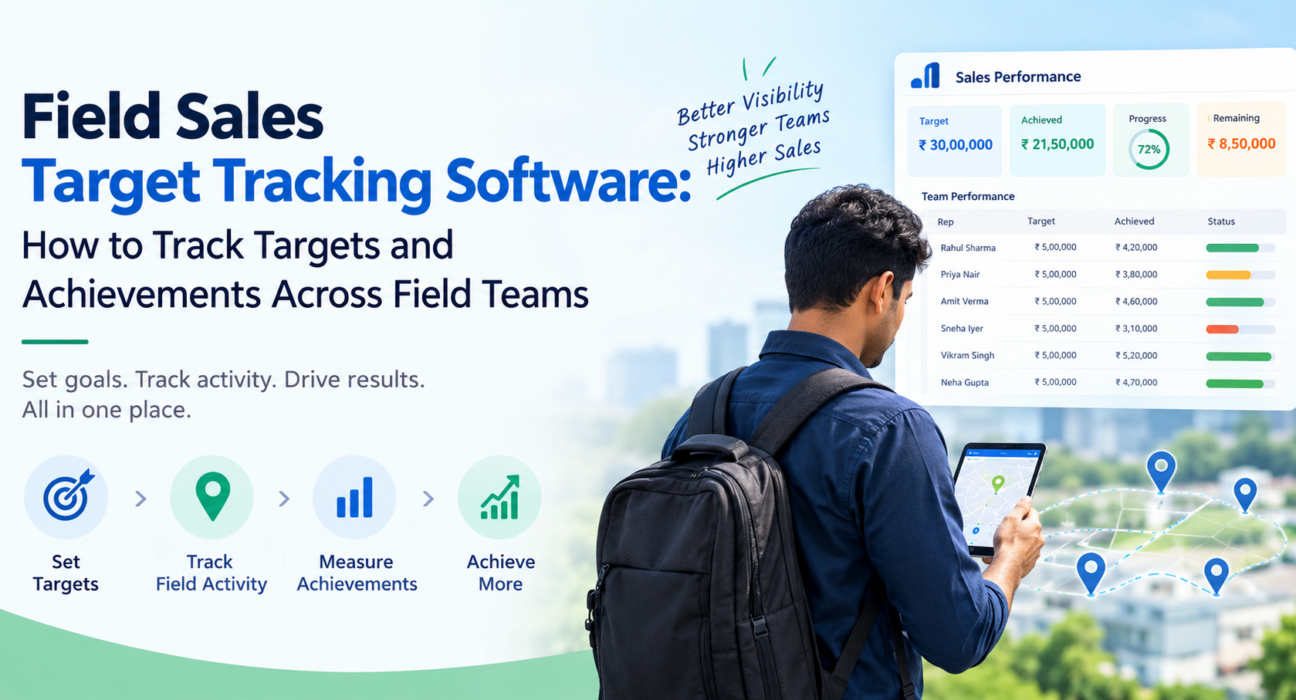
For example, a ₹30 lakh monthly target for a six-rep team becomes six individual targets. Each can then be weighted for territory size and customer potential. (The figures here are illustrative.)
2. Track Both Lead and Lag Metrics
Lag metrics such as revenue and collections tell you what happened. Lead metrics such as visits and new outlets tell you what is likely to happen.
Pick a small set of each. Teams that track twenty metrics usually act on none.
3. Capture Data at the Source
Accurate tracking depends on data captured when the work happens, not typed up later. Check-ins verified by location, photos, signatures and OTP confirmations make a visit something you can verify rather than something a rep reports.
4. Review Progress Daily, Not Monthly
A daily check takes minutes. It shows who is behind pace while there are still days left to recover. Weekly reviews then focus on patterns rather than surprises.
5. Compare Reps and Territories Fairly
Rankings only motivate when the comparison is fair. Compare reps against their own targets, not just against each other, and use leaderboards to show momentum rather than to shame the bottom of the list.
6. Coach From the Data
If a rep is hitting visit targets but missing revenue, the issue is probably conversion or pitch. If visits are low, the issue is probably planning, travel or discipline. The data tells you which conversation to have.
7. Revisit Targets When Reality Changes
Targets set in April may not fit a territory in September. Review them against actual attainment and adjust where the plan, not the rep, is the problem.
Which Metrics Should You Track?
The right mix depends on your industry. For most field sales teams, these cover the essentials:
| Metric | Type | What It Tells You |
|---|---|---|
| Revenue / sales value vs target | Lag | Whether the target is being met |
| Collections vs target | Lag | Whether sales are converting to cash |
| Visits completed vs planned | Lead | Whether the plan is being executed |
| New customers or outlets added | Lead | Whether the territory is growing |
| Verified visit rate | Lead | Whether reported visits actually happened |
| Time spent per customer | Lead | Where effort is going |
| Target achievement % by rep | Lag | Who needs support or recognition |
Keep the list short. Five to seven metrics, reviewed consistently, beat twenty reviewed rarely.
Spreadsheets vs Field Sales Target Tracking Software
| Factor | Spreadsheets and Messaging Apps | Field Sales Target Tracking Software |
|---|---|---|
| Data entry | Manual, often end of day | Captured during the visit |
| Visit verification | Based on rep’s word | Location-stamped proof |
| Visibility | After the fact | Real time |
| Target vs achievement | Built manually each cycle | Tracked against KPIs |
| Reporting effort | Hours of consolidation | Reports on demand |
| Scalability | Breaks as team grows | Handles more reps and territories |
Spreadsheets work for a team of two or three. Beyond that, reconciliation takes more time than the selling it is meant to support.
What to Look for in Field Sales Target Tracking Software
Good field sales target tracking software should let you set targets, capture verified field activity and see achievement against target in real time. Use this checklist when evaluating options:
- KPI and target setting by user, role or team
- Live visibility of rep location, status and visits
- Proof of visit through photos, signatures or OTP
- Geofenced attendance so check-ins are tied to the right place
- Offline-first mobile app, because field connectivity is unreliable
- Dashboards, leaderboards and reports for managers and owners
- Custom forms and workflows so you capture what your business needs
- Integration options with your CRM, ERP or accounting tools
- Transparent pricing that does not punish you for adding reps
How FieldExecutives Helps You Track Field Sales Targets
Businesses looking to simplify these processes can use field force management software such as FieldExecutives, which brings field activity, proof and performance data into one system.
Based on what the platform describes, here is how it maps to the steps above:
- Targets and KPIs: The admin portal is where owners set KPI targets, roles and hierarchy.
- Daily tracking: The manager web console offers real-time KPIs, leaderboards and reports, so teams can review progress against targets without consolidating spreadsheets.
- Verified activity: Reps capture photo, signature or OTP proof, and the platform describes geofenced, server-time punch-ins with mock-location detection. Visits count because they can be verified.
- Planning: Tasks and visits can be assigned with checklists and SLAs. AI route and beat-plan optimisation is designed to reduce travel time, which can free up more visits per day. FieldExecutives describes its savings figures as illustrative rather than guaranteed.
- Collections: Field collections are tracked through to settlement, which helps when the target is cash rather than only sales value.
- Fit to your process: Custom forms and workflows let you capture the fields your industry needs, for example for FMCG and distribution or pharma and medical rep teams.
- Field-ready design: The mobile app is offline-first and syncs when the rep reconnects.
At the time of writing, plans start at ₹999 per month for up to 10 users, with every feature on every plan and a 7-day free trial. Check the pricing page for current details.
Common Mistakes When Tracking Field Sales Targets
- Setting targets too late. Reps cannot plan against a number they have not received.
- Tracking only outcomes. Revenue alone shows the result but not the cause.
- Trusting unverified visit data. Reported activity without proof hides problems.
- Too many metrics. Focus gets diluted and nothing gets acted on.
- Treating tracking as surveillance. Explain what is tracked and why. Location features should apply only to on-duty staff who have given permission.
- Never adjusting targets. A target that no longer fits reality erodes trust.
Conclusion
Tracking sales targets across a field team comes down to three things. Break targets down to rep and territory level, capture verified activity as it happens, and review progress while there is still time to act. Spreadsheets and chat groups make each of these harder as the team grows.
Field sales target tracking software puts targets, visits, proof and results in one view, so managers coach early instead of explaining misses later. FieldExecutives is built for this, with KPI targets, live visibility, proof of visit and real-time reporting for field teams.